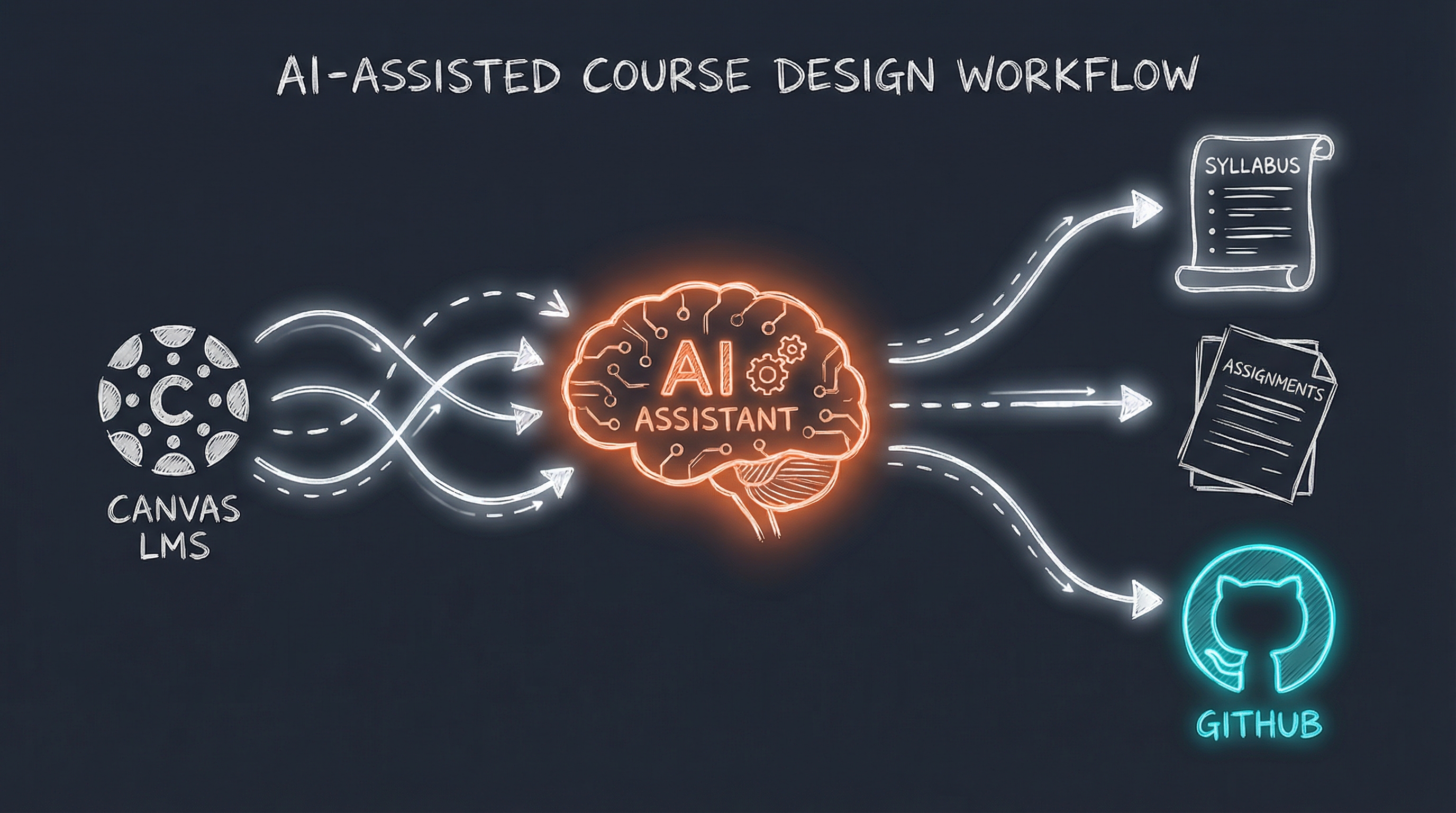
I teach Data Programming in Python at the University of Iowa - a core course for Master of Science in Business Analytics (MSBA) students and an elective for MBAs. This spring, I’m collaborating with course owner Michael Redmond from Tippie College of Business to redesign the curriculum and teach something new: how to learn and code with AI assistance.
The irony? I’m using AI to help me do it.
The Grant: AI Exploration at Tippie
I was awarded a grant through Tippie College of Business’s AI Exploration initiative. The goal: integrate GitHub and GitHub Copilot into my Python course so students learn not just how to code, but how to code effectively with AI assistance.
This isn’t about replacing learning - it’s about preparing students for the reality of modern development. GitHub Copilot is already in professional workflows. Students who graduate without understanding AI-assisted coding will be at a disadvantage.
But redesigning a course is a significant undertaking. I needed help thinking through the curriculum changes, the pedagogy, and the practical implementation.
That’s where my Personal AI Infrastructure came in.
Canvas MCP: Course Content Without Student Data
Important clarification: I’m not pulling student data through my AI. No grades, no submissions, no personal information.
What I am doing is downloading course materials - syllabi, assignments, lecture notes, rubrics - so my AI can understand the current state of the course and help me improve it.
I set up a Canvas MCP server that connects to ICON (University of Iowa’s Canvas instance). The server exposes tools for:
canvas_get_syllabus       - Retrieve syllabus content
canvas_list_modules       - List course modules
canvas_list_module_items  - Get module contents
canvas_list_assignments   - List course assignments
canvas_get_assignment     - Get assignment details
canvas_list_files         - Course files
canvas_get_file           - Download specific file
With these tools, my AI can read through the entire course structure - what topics we cover, in what order, with what assignments. It understands the current curriculum as well as I do.
No student data. Just course materials. The same content any student enrolled in the course can access.
The Collaboration: Redesigning for AI-Assisted Learning
Here’s what the collaboration actually looks like.
I shared my grant application with PAI - the document explaining my vision for integrating GitHub Copilot into the curriculum. Then I asked it to help me think through the implementation:
“Review the current Python course structure and my grant proposal. Help me design updates that teach students how to use GitHub and GitHub Copilot for learning and AI coding assistance.”
The AI could now work with real context:
- Current week-by-week topic progression
- Existing assignments and their learning objectives
- My pedagogical goals from the grant application
- The constraints of graduate business programs (practical focus, limited time)
What We’re Building Together
Week 1-2: Environment Setup Reimagined
The course has always started with Python fundamentals. Now it starts with environment fundamentals:
- GitHub account setup and repository basics
- VS Code with GitHub Copilot extension
- Understanding when AI suggestions help vs. hinder learning
New Assignment Type: Copilot Reflection
After each coding assignment, students write a brief reflection:
- Which suggestions did you accept? Why?
- Which did you reject? Why?
- What did Copilot get wrong? How did you know?
This builds metacognition about AI assistance - knowing when to trust it and when to think independently.
Scaffolded Copilot Usage
Early weeks: Copilot disabled for core concept assignments. Students need to struggle with syntax, loops, and functions to build foundational understanding.
Middle weeks: Copilot enabled but analyzed. Students can use it, but must explain what the suggestions do.
Later weeks: Full integration. Students use Copilot as a productivity tool, focusing on higher-level problem solving.
Real-World Workflow
Final project requires:
- GitHub repository with meaningful commit history
- Pull requests with Copilot-assisted code review
- Documentation generated with AI assistance (but human-verified)
Students learn the actual workflow they’ll use professionally.
The Teaching Skill
My PAI includes a Teaching skill that wraps common instructor workflows:
| Workflow | Purpose |
|---|---|
| StudentEmail | Draft responses to student inquiries |
| AssignmentCreate | Generate assignments with rubrics and solutions |
| GradeSubmission | Code review and feedback generation |
| LecturePlan | Outline lectures with examples and exercises |
For this course redesign, I’m heavily using AssignmentCreate and LecturePlan to generate draft materials that I then review and refine.
The AI knows:
- Graduate business students need business context, not abstract exercises
- Assignments should use realistic “messy” data
- Time estimates matter for working professionals
- Rubrics need to be specific and fair
When I ask for a new assignment on data cleaning that incorporates Copilot usage, it generates something appropriate for the audience and the learning objectives.
Why This Approach Works
1. Authentic Context
The AI isn’t guessing what my course covers. It has read the actual syllabus, assignments, and materials. Its suggestions fit the existing structure.
2. Pedagogical Alignment
My grant application articulated specific learning goals. The AI references these when making suggestions, ensuring curriculum changes serve the stated objectives.
3. Rapid Iteration
Course design traditionally takes months of solo work. With AI assistance, I can generate draft materials, critique them, revise, and iterate in hours instead of weeks.
4. Human Oversight
Everything the AI generates is a draft. I review every assignment, every lecture outline, every rubric. The AI accelerates my work; it doesn’t replace my judgment.
Privacy Done Right
Let me be explicit about boundaries:
What the AI accesses:
- Syllabus and course description
- Assignment prompts and rubrics
- Lecture slides and notes
- Module structure and topic sequence
What the AI never sees:
- Student names or identifying information
- Grades or submissions
- Discussion posts or messages
- Any FERPA-protected data
The Canvas MCP server could expose student data tools. I don’t use them. The integration is specifically configured for course materials only.
This isn’t a workaround or a gray area. It’s the right way to use AI in education: improving the learning experience without compromising student privacy.
What I’m Learning
Building AI-assisted course design has taught me a few things:
AI is a thinking partner. The best interactions aren’t “generate an assignment.” They’re “here’s what I’m trying to accomplish, here’s the constraint, what am I missing?” The AI asks good questions back.
Structure enables creativity. The Teaching skill’s workflows and reference documents give the AI enough context to be genuinely helpful. Without that structure, suggestions are generic.
Students need this skill. If AI helps me this much with course design, imagine what it does for students learning to code. Teaching them to use it well - with discernment, not dependence - is one of the most valuable things I can offer.
Next Steps
The redesigned course launches this spring. I’m tracking:
- Student comfort level with Copilot over the semester
- Quality of “Copilot reflection” responses
- Performance on Copilot-disabled assessments (do they still learn fundamentals?)
- Student feedback on AI integration
I’ll write a follow-up post with results once I have data.
AI in education is complicated. There are real concerns about academic integrity, skill development, and over-reliance on tools. I share those concerns.
But pretending AI doesn’t exist isn’t the answer. Students will use these tools whether we teach them or not. Better to teach them well - with structure, reflection, and discernment.
That’s what this course redesign is about. And my AI is helping me build it.
The recursive irony isn’t lost on me.
Interested in building your own Personal AI Infrastructure? I help individuals and organizations design AI systems that actually fit how they work. Get in touch if you’d like to explore what’s possible.