We’ve all been there. You’re using ChatGPT or Claude for quick questions, but the moment you need something more complex—deep research, document generation, or integration with your actual tools—things fall apart. Either the AI forgets context between sessions, can’t access your systems, or simply isn’t designed for the kind of persistent, specialized work you need.
On the flip side, powerful agentic systems like Claude Code are incredible for complex tasks but aren’t always “on.” They’re designed for focused work sessions, not the constant stream of messages, reminders, and quick questions that make up daily life.
What if you could have both?
Enter the Extrovert/Introvert Model
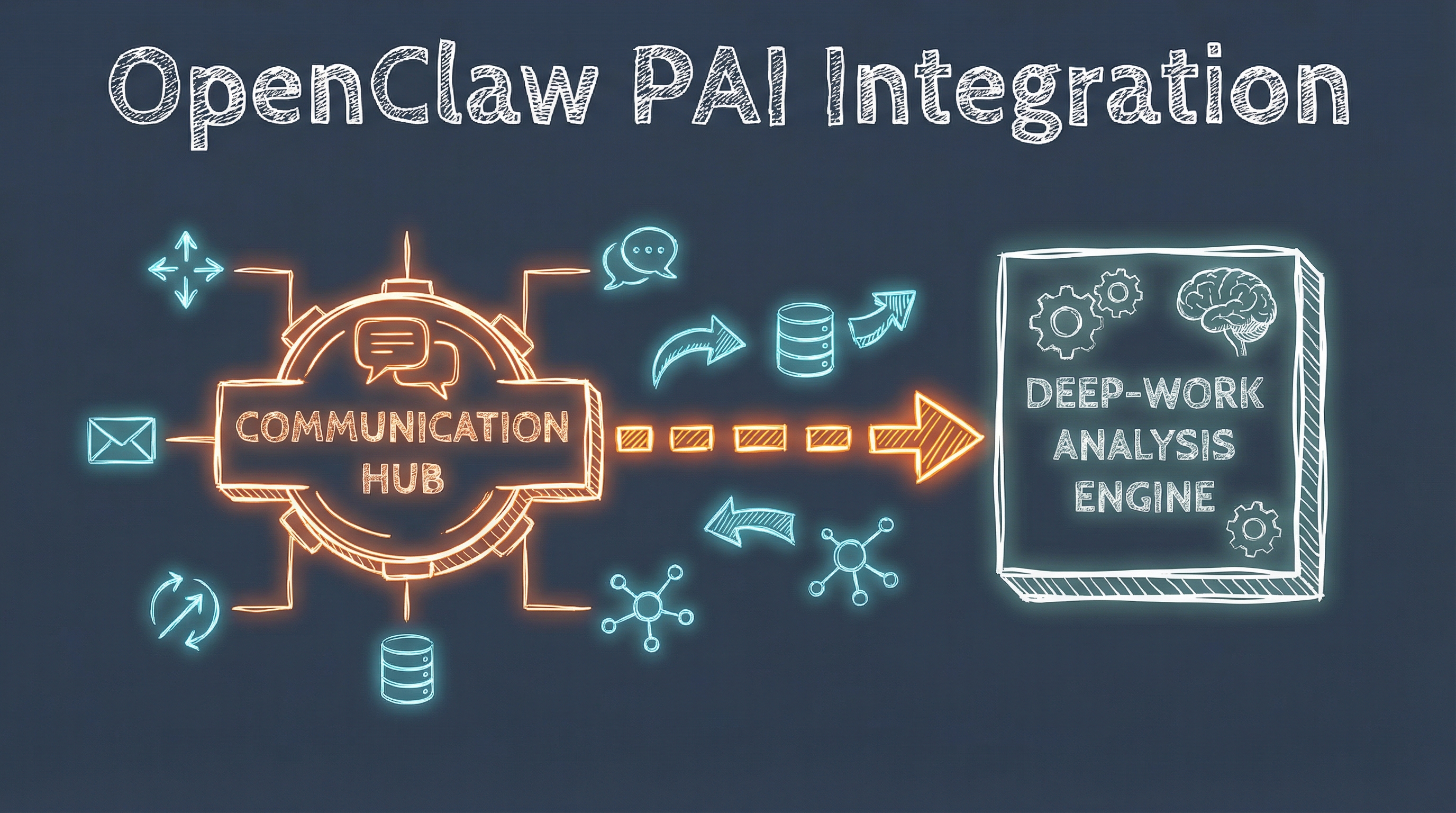
After months of experimentation, I’ve landed on a system that feels genuinely complete: OpenClaw as the always-on “extrovert” and PAI (Personal AI Infrastructure) as the deep-work “introvert.”
OpenClaw: The Extrovert
OpenClaw is a personal AI gateway that connects messaging platforms to AI agents with powerful local infrastructure. In my setup, it runs as a persistent presence across:
- Signal — Secure messaging with a dedicated number
- iMessage — Primary channel for quick interactions
- WhatsApp — For when I’m away from Apple devices
- Telegram — Bot-based interactions with different capabilities
- Discord — Community and team contexts
What OpenClaw handles:
- Quick questions and lookups
- Scheduling and reminders
- Real-time chat and conversation
- Triaging incoming requests
- Media handling (images, voice notes, documents)
- System integration and local tool execution
The key insight: OpenClaw is always there. Send a message at 2am, and it’s waiting when you wake up. Need a quick calculation? Instant response. It’s the conversational layer that makes AI feel genuinely integrated into daily life.
PAI: The Introvert
PAI (Personal AI Infrastructure) is a completely different beast. It’s not about quick responses—it’s about depth.
What PAI brings:
- 242+ Fabric patterns — Specialized analysis workflows for everything from threat modeling to wisdom extraction
- Microsoft 365 integration — Full access to Planner, OneDrive, Teams, SharePoint
- Research capabilities — Multi-source parallel research using multiple AI models
- Document generation — Professional consulting docs, contracts, implementation plans
- Art and visualization — Diagrams, illustrations, and visual content
- Teaching support — Grading, lecture prep, student communication
PAI doesn’t need to be fast. It needs to be thorough. A research task might take 10 minutes, but it comes back with a comprehensive analysis that would take hours to do manually.
Local Intelligence: Ollama for Routine Tasks
Beyond the Claude Max/Copilot Pro+ models, I also leverage Ollama for routine tasks that don’t require the most sophisticated reasoning:
- Text classification and summarization — Processing daily briefings from 50+ sources
- Content analysis — Scanning YouTube channels and tech blogs (OpenAI, Anthropic, DeepMind, Meta, etc.)
- Task enrichment — Automated research and completion workflows every 4 hours
- Daily prep generation — Scraping calendar, email, and tasks for personalized briefings
This three-tier approach (local Ollama → OpenClaw → PAI) ensures the right tool for each job while controlling costs and maintaining privacy.
How They Work Together
The magic happens in the delegation pattern:
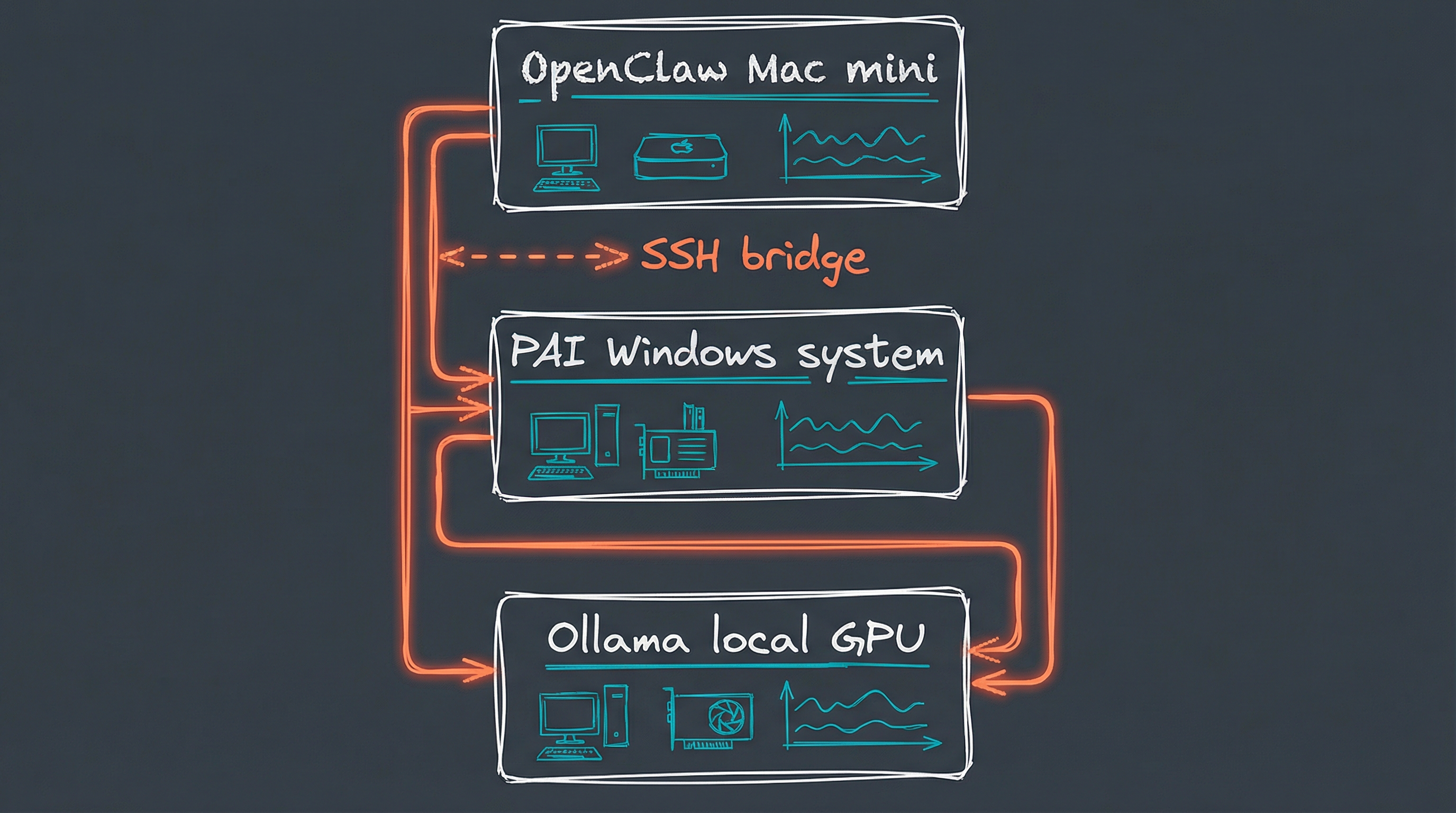
Examples in practice:
| Request | Handler | Why |
|---|---|---|
| “What’s the weather?” | OpenClaw | Quick lookup |
| “Remind me to call Mom at 3pm” | OpenClaw | Scheduling |
| “Research AI agent protocols for 2026” | PAI | Deep research needed |
| “Create a threat model for this architecture” | PAI | Fabric pattern (STRIDE) |
| “What’s on my calendar today?” | OpenClaw | Quick M365 query |
| “Generate a consulting proposal for [client]” | PAI | Document generation |
| “Summarize today’s tech news” | Ollama → OpenClaw | Routine processing |
The Technical Setup
OpenClaw Configuration
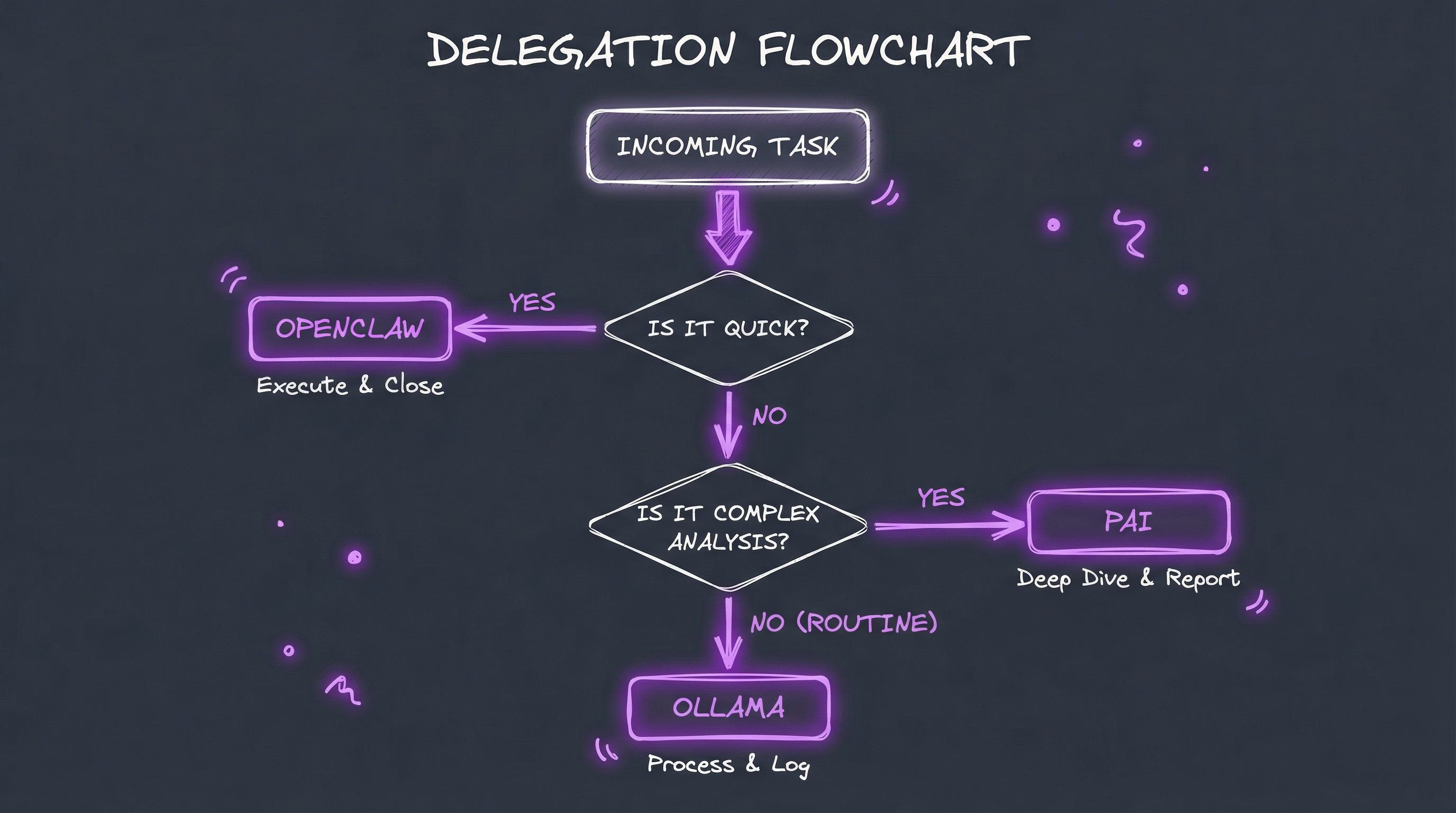
OpenClaw runs as a daemon on my Mac mini, managing all channel connections:
{
  "channels": {
    "signal": {
      "enabled": true,
      "dmPolicy": "allowlist",
      "allowFrom": ["+1..."]
    },
    "imessage": { "enabled": true },
    "whatsapp": { "allowFrom": ["+1..."] }
  }
}
The workspace at ~/clawd contains identity files that define the agent’s personality and my preferences:
- IDENTITY.md — Agent identity (name, vibe, role)
- USER.md — Who I am (context, preferences, family)
- SOUL.md — Behavioral guidelines and boundaries
PAI Configuration
PAI lives at ~/.pai with its own skill structure:
~/.pai/
├── Skills/
│   ├── Art/           # Visual content
│   ├── CORE/          # Base capabilities
│   ├── Fabric/        # 242+ patterns
│   ├── M365/          # Microsoft integration
│   ├── Research/      # Multi-source research
│   └── ...
├── agent.json         # A2A agent card
└── Tools/
    └── pai-bridge.ts  # CLI for external invocation
The pai-bridge.ts tool allows OpenClaw to invoke PAI capabilities:
pai-bridge invoke research --query "AI trends 2026" --mode extensive
pai-bridge invoke art --query "Architecture diagram for..."
pai-bridge invoke fabric --pattern extract_wisdom --input "..."
Why This Works
1. Complementary Strengths
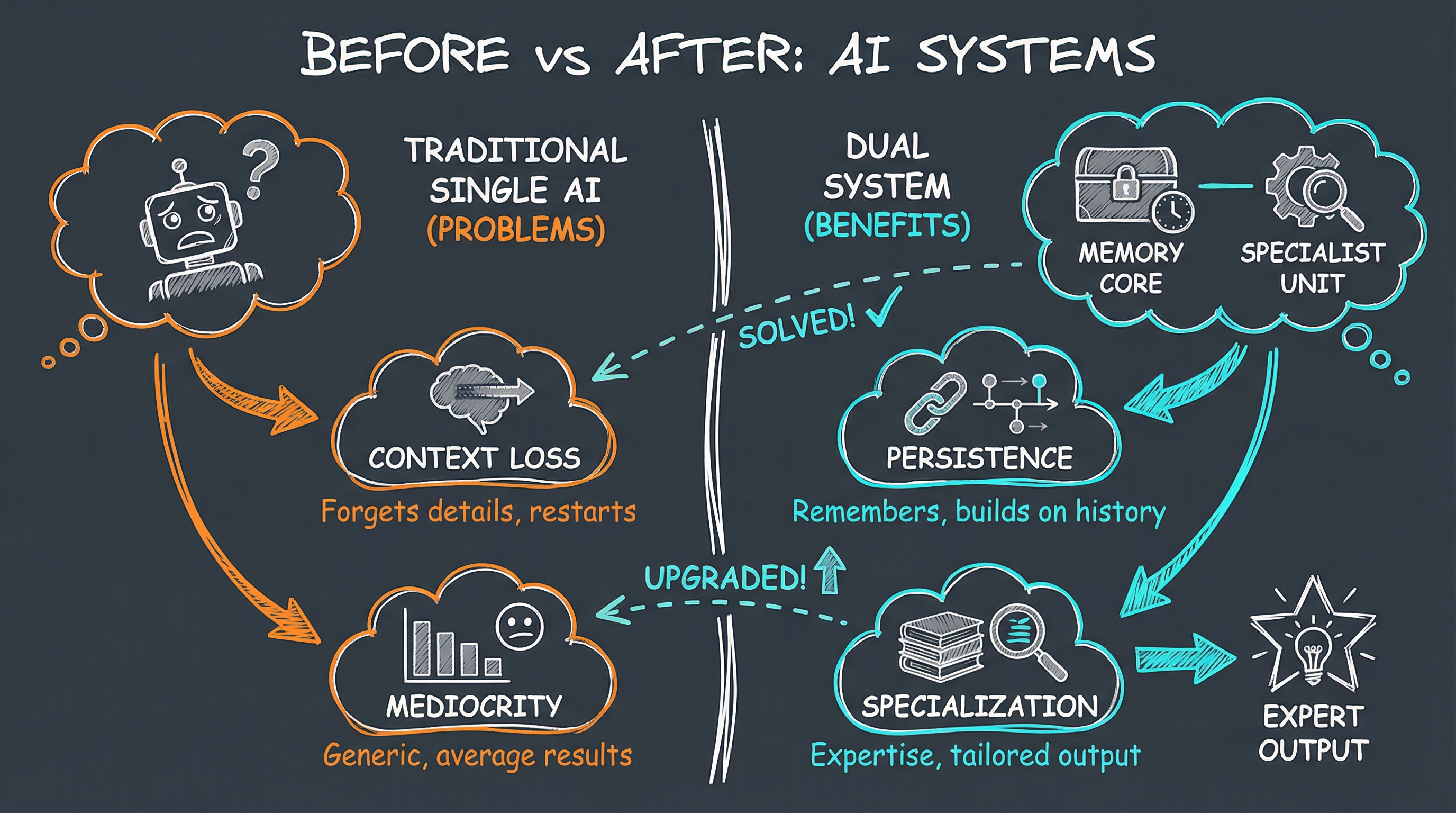
OpenClaw excels at presence and responsiveness. PAI excels at depth and analysis. Ollama handles routine processing efficiently. No system is trying to be everything.
2. Clear Boundaries
There’s no confusion about who handles what. Quick? OpenClaw. Complex? PAI. Routine? Ollama. This prevents the common problem of AI assistants being mediocre at everything.
3. Persistent Context
All systems maintain memory:
- OpenClaw has session history and workspace files
- PAI has episodic memory and continuous learning from interactions
- Ollama provides consistent local processing
4. Privacy by Design
Everything runs locally on my Mac mini. No cloud services required for the core functionality. Messages flow through my own infrastructure. Signal provides end-to-end encryption for the most sensitive conversations.
5. Cost-Effective Scaling
By using Ollama for routine tasks, Claude Max for deep work, and Copilot Pro+ for interactive sessions, I optimize both performance and costs. Most daily interactions don’t need the most expensive models.
6. Extensible Architecture
All systems are modular:
- OpenClaw has skills and tools
- PAI has packs and workflows
- Ollama models can be swapped based on task requirements
Adding capabilities doesn’t require rebuilding the core.
Getting Started
If you want to build something similar:
- Start with OpenClaw — Get the basic messaging bridge working with one channel
- Set up PAI — Clone the repo, run the installer, configure your system
- Add Ollama — Install local models for routine tasks
- Create the bridge — Use
pai-bridge.tsor build your own invocation method - Define the boundaries — Document what each system handles
- Iterate — The perfect split emerges from actual usage
What’s Next
I’m exploring:
- A2A protocol — Standardizing agent-to-agent communication
- Voice integration — Speaking to OpenClaw, hearing PAI’s research summaries
- Proactive monitoring — Heartbeats that check email, calendar, and notifications
- Mobile nodes — iOS/Android devices as part of the system
The goal isn’t to build the most powerful AI—it’s to build the most useful one. And sometimes that means knowing when to be quick, when to go deep, and when to process efficiently.
Want to build your own Personal AI Infrastructure? Check out PAI Explained: Extensible Personal AI for more details, or get in touch if you’d like to explore what’s possible for your workflow.